
From prompt to website, in minutes.
Describe the site you need in plain language. Arrakio builds it, gives you a preview to refine, and keeps the source in a Git-backed project you can deploy and come back to.
“A one-page site for our photo contest: rules, example entries and a submission form. Keep it static and follow our brand.”
- Project created from the marketing template
- Preview built from the static output
- Published to a deployment target
What Arrakio does.
A prompt becomes a real project: template-backed source, a hosted preview, an explicit review step, and a deployment you can point at your own domain. These are the parts that make the result maintainable rather than a one-off generated page.
Prompt to working site
Describe the page you need and get a buildable project back, not a chat reply you have to reconstruct by hand.
- A first version you can click through in the same session.
- Follow-up prompts refine the existing project instead of starting over.
Static output by default
Default templates build to HTML, CSS and JavaScript, so there is no application server in the loop.
- Hosting only has to serve files, which keeps cost down.
- Nothing to keep running, patched or scaled between releases.
Templates you control
Create custom templates to match your organizational preferences, and choose which frameworks Arrakio is allowed to use.
- New projects inherit your structure, defaults and conventions.
- Narrowing the framework list keeps generated code maintainable.
Workspaces per change
Every change starts in its own workspace, the way you would open a feature branch, and moves forward through a merge request.
- Production stays stable while work is in progress.
- Role permissions decide who may deploy and update a live site.
Reusable components
Build a component once, publish it to the internal npm registry, and include it as a dependency in any other project.
- Packages are versioned, so shared components change deliberately.
- Projects consume them the way they consume any npm dependency.
Previews and real deployments
A project produces a hosted preview from its finalized static build, and releases are recorded against the source commit they came from.
- Reviewers see the actual output before anything goes live.
- Each deployment target serves the site on a managed or custom domain.
Websites people described in a prompt.
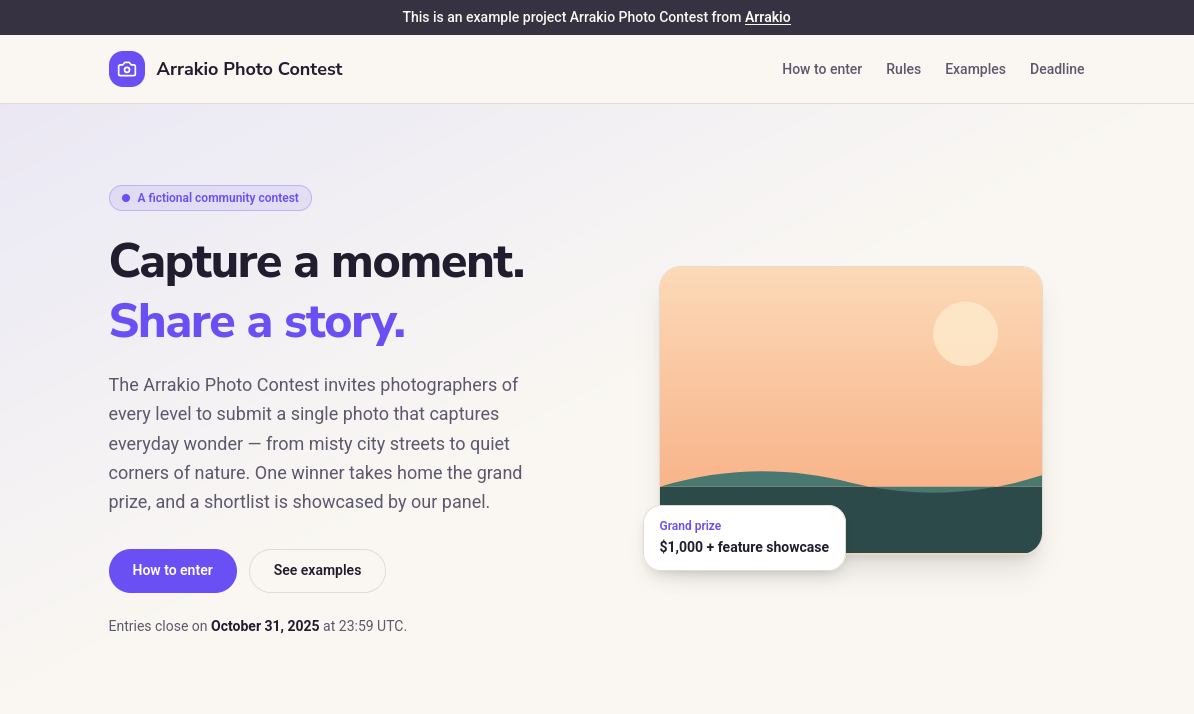
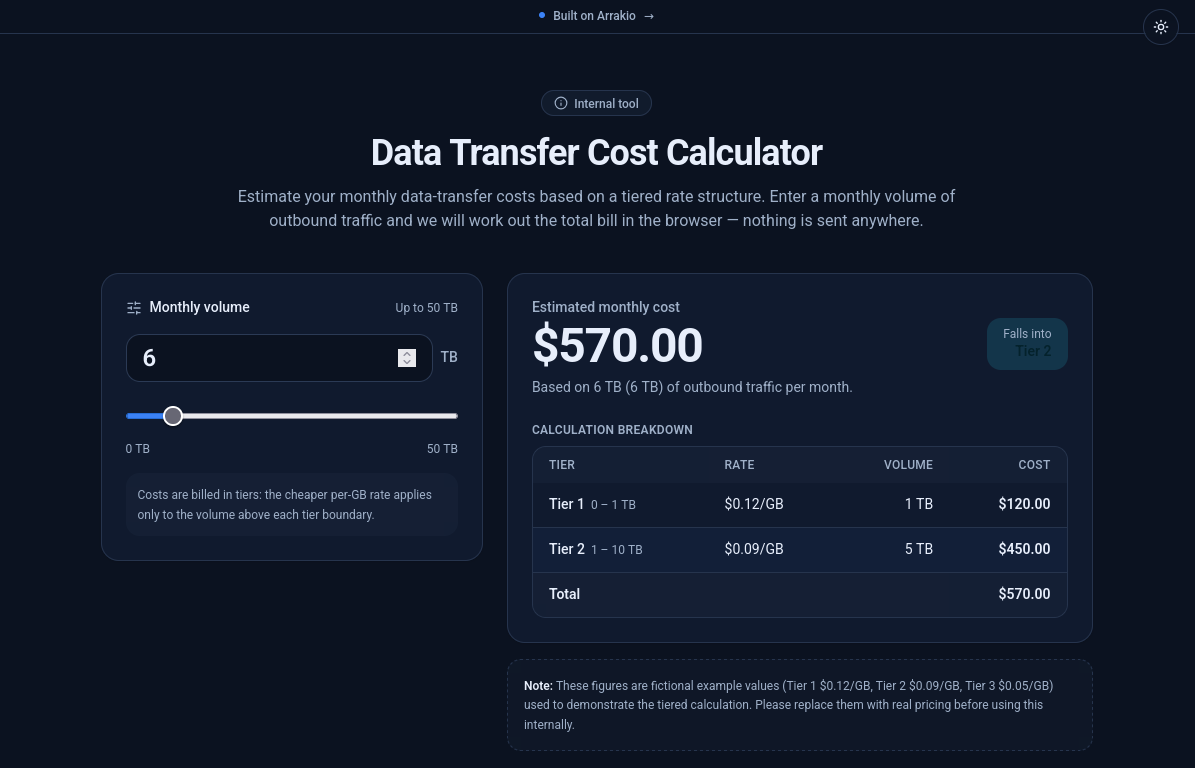
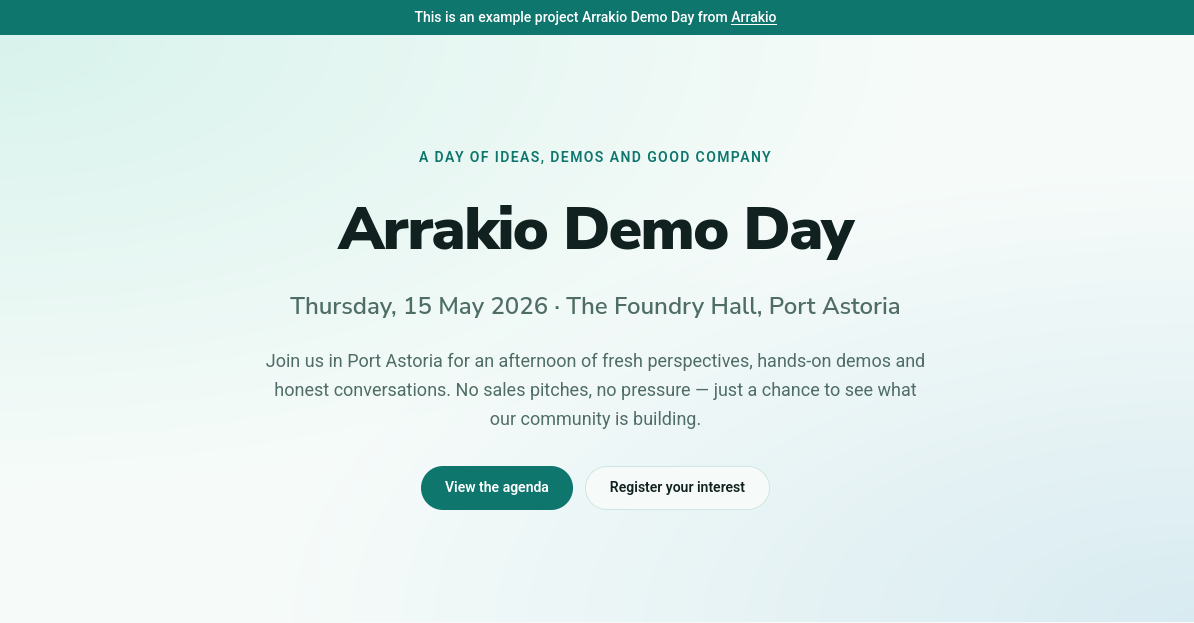
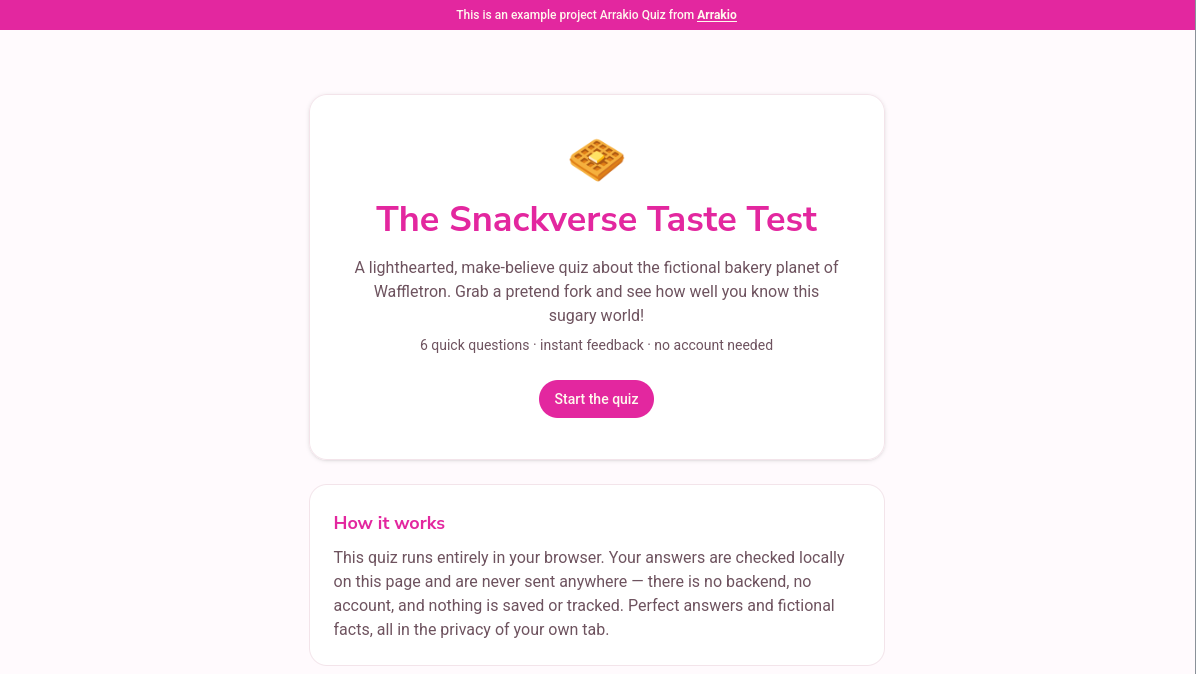
These are example projects built with Arrakio. Each one is a real, hosted static site you can open.
Photo contest page
A campaign page that explains the contest rules, shows example entries, and routes submissions to the team's existing email or form.
Open output, opens in a new tabData-transfer cost calculator
A tiered calculator teams use to estimate monthly data-transfer costs before planning volumes.
Open output, opens in a new tabEvent page
An event page with an agenda, sessions, and venue details. A structured page teams can keep updated.
Open output, opens in a new tabInteractive quiz
A multiple-choice quiz that runs entirely in the browser, with scoring and no backend or saved data.
Open output, opens in a new tab
Managed in the EU, or hosted by you.
Both options run the same product. Choose the one that matches where your project data and model endpoints need to live.
Arrakio Cloud
Fully hosted in the EU
Hosting, model providers and project storage all run in the EU, and there is nothing to install, operate or keep patched on your side.
- Trials are created here, on the shared cloud, with a credit balance to use.
- The same projects, workspaces, registry and deployments as any other installation.
Enterprise hosting
Your own infrastructure
Run Arrakio behind your corporate firewall, with the models and backends you choose and support arranged around your requirements.
- Bring your own databases, backends and model endpoints.
- Combine it with your existing CI for custom project deployment.
Enterprise deployments are scoped and quoted per organization.
FAQ
Questions people ask before starting.
Short answers about what Arrakio is, where it runs, and how the work stays maintainable. Anything else, ask us through the trial form.
Ask a questionWhat is Arrakio?
Arrakio is a self-hostable AI platform for turning conversations into durable software. You describe what you need in a conversation, and the work continues as a managed, Git-backed project with previews, review, and deployment rather than ending as a chat reply.
Do I need to be a developer to use Arrakio?
No. The starting point is an AI-assisted conversation where you explain the problem and add the context for the task. When the work becomes a real project, developers can review, test, resolve conflicts, and approve changes in the same Git-backed workflow without starting over.
Can Arrakio be self-hosted?
Yes. Arrakio is self-hostable, so an organization can run it on infrastructure it controls, choose where project data is stored, and connect the external or private model endpoints that fit its requirements. A cloud-hosted trial is also available by request.
Where does Arrakio Cloud run?
Trial accounts on Arrakio Cloud are hosted on the shared cloud instance in the EU. On a self-hosted or enterprise deployment, the operating organization decides where project data is stored and which model providers or private endpoints are connected.
Who owns the source code Arrakio generates?
Generated work is kept in Arrakio-managed Git repositories. Projects and workspaces are Git-backed, so changes have source history and move forward through workspaces and merge requests instead of being handed over as an opaque artifact.
How do previews and deployments work?
Default templates build to static HTML, CSS, and JavaScript, so hosting only has to serve files. A project produces a hosted preview from its finalized static build, and deployment targets serve releases that are recorded against the exact source commit they came from, on a managed or custom domain.
Can teams reuse their own components and templates?
Yes. Arrakio supports template-backed and component-library projects. Teams can create custom templates, choose which frameworks Arrakio may use, and publish versioned component packages to Arrakio's internal npm-compatible registry for reuse in other projects.
How do I get access?
Request a trial through the form on this site to get a cloud account on the EU-hosted shared cloud, including a trial credit balance. Self-hosted and enterprise deployments are scoped and quoted per organization.
Try Arrakio on the EU-hosted shared cloud.
Request a trial and we will set you up on the shared cloud instance hosted in the EU. Use the included credits to prompt, preview and deploy your first projects. No installation required.
- Trial credits on your account for using the product.
- Prompt, preview and deploy your first projects right away.
- Self-hosting and enterprise support are available later.